





























































Theme Builder
The Jalpi Page Builder Theme Builder allows designers and developers to construct dynamic, site-wide templates — including global Headers, Footers, Single Post/Page layouts, Archive indexes, Search Results, and 404 pages — completely replacing active theme templates with visual, drag-and-drop Jalpi layouts.
Theme Builder Overview#
While standard page templates govern individual post bodies (stored in wp_jalpi_pages for standard WordPress pages), the Theme Builder operates at the architectural theme layer. It replaces the theme's native PHP templates (header.php, footer.php, single.php, archive.php, search.php, 404.php) with reactive visual layouts driven by Jalpi's high-performance renderer.

Global Site Chrome
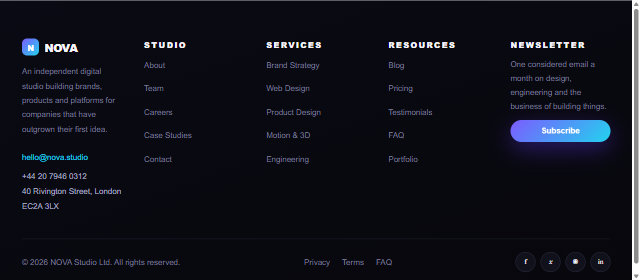
Build responsive navigation bars, mega-menus, announcements, and multi-column footers that automatically render across every page on your site.
Dynamic Content Templates
Design single post wireframes once; dynamic tags automatically resolve post titles, featured images, author bios, and custom fields on the live request.
Granular Display Rules
Assign templates to the entire site or target specific categories, post types, tags, or individual post IDs using inclusive and exclusive conditions.
Priority & Conflict Engine
Assign integer priorities to resolve overlapping display conditions deterministically, ensuring landing pages can override global default headers.
Dashboard & Interface
The Theme Builder administrative hub is located under Jalpi Page Builder → Theme Builder (admin.php?page=jalpi-theme-builder). It features a clean, two-column responsive interface:
- Location Sidebar (Left): Displays all six supported location slots with dynamic counters indicating how many templates are configured for each location.
- Template Management Workspace (Right): Lists active and inactive templates for the selected location, showing status badges, priority order, associated display conditions summary, and quick action buttons (Edit in Builder, Conditions, Activate/Deactivate, Delete).
Creation, Editing & Lifecycle
- Add Template: Click Add Template in the top-right corner of the dashboard.
- Name Template: Enter a descriptive name (e.g. "Global Header with Announcement" or "Case Studies Single Layout") and click Create & Edit.
- Visual Editing: Jalpi generates a private
jalpi_theme_tplpost and redirects immediately to the full-screen visual canvas editor (admin.php?page=jalpi-page-builder-editor&post_id={id}). - Design with Dynamic Tags: Construct your header, footer, or content layout using Jalpi elements. Add dynamic placeholders (
{{post_title}},{{featured_image_url:large}}) for content templates. - Configure Conditions: Return to the dashboard (or use the in-editor Page Settings panel) and click Conditions to define where the template should render.
- Activate: Click Activate. Jalpi immediately binds the template into WordPress frontend action hooks and template filters.
Template Types#
The Jalpi Theme Builder implements six core location types registered in Jalpi_Theme_Builder::LOCATIONS:
| Location Slug | Display Name | Frontend Injection Point | Description |
|---|---|---|---|
header | Header | wp_body_open action hook | Renders at the very top of the page, directly beneath the opening <body> tag, replacing the active theme's native header. |
footer | Footer | wp_footer action hook (priority 1) | Renders at the bottom of the page content before closing scripts, replacing the active theme's native footer. |
single | Single Post | template_include filter (priority 99) | Replaces theme single templates (single.php, page.php, or single CPTs). Injects dynamic post title, body, author, and featured image. |
archive | Archive | template_include filter (priority 99) | Replaces category, tag, author, date, and custom taxonomy archive index templates with a visual grid layout. |
search | Search Results | template_include filter (priority 99) | Replaces search.php to render query results, search form inputs, and pagination controls. |
404 | 404 Page | template_include filter (priority 99) | Replaces 404.php with a branded error landing page, helpful links, and a search input. |
Header#
Header templates let you design custom navigation bars, top bars, logo areas, and mobile menus using standard Jalpi widgets (Logo, Navigation Menu, Buttons, Icons, Search).
Header Workflow & Elements
- Structure: Typically consists of a single section with flex container alignment, containing a
logowidget, amenuwidget, and call-to-actionbuttonelements. - Sticky & Transparent Headers: Using Section Style controls, set
position: stickyorposition: fixedwith a top offset of0and high z-index (e.g.1000). Transparent headers usebackground-color: transparentwith absolute positioning over hero sections. - Multiple Headers per Site: You can create different headers for different site sections (e.g. a dark header with transparent background for the homepage, and a solid white header for blog posts).
wp_body_open Rendering
Header templates are output via the core WordPress wp_body_open action hook. In addition, the Theme Builder pre-renders the template's CSS early during wp_enqueue_scripts (priority 5), guaranteeing that critical header styles are printed in the <head> before the DOM is painted, preventing layout shifts (CLS).
Footer#
Footer templates replace the theme's footer with visual multi-column layouts, social icon links, newsletter signup forms, legal disclaimers, and copyright text.
Footer Workflow & Elements
- Multi-Column Grids: Use a 3-column or 4-column container to display brand bio, quick navigation links, contact info, and recent posts.
- Dynamic Copyright: Use the dynamic tag
{{current_year}}inside heading or text widgets (e.g. "© {{current_year}} My Brand. All rights reserved.") so copyright dates automatically stay current without manual updates.
wp_footer Execution
Footer templates hook into wp_footer with priority 1. This guarantees that your footer markup is output directly after the primary page content, before WordPress enqueues trailing JavaScript bundles.
Single Templates#
Single templates determine the layout of individual blog posts, standard pages, or custom post types (e.g. Portfolio, Case Studies, Team Members).
Single Posts, Pages & Custom Post Types
When creating a Single template, you can design a dynamic wireframe that automatically populates with content from whatever post is being requested:
- Post Title Widget / Dynamic Tag:
{{post_title}}renders the queried post title. - Featured Image Widget:
{{featured_image_url:large}}sets the hero background or image widget source. - Post Metadata Block:
{{author_name}},{{post_date:F j, Y}}, and{{post_categories}}render publication credits. - Post Content: The core post body is injected automatically via WordPress
the_content, rendering rich text, images, and embedded media inside your custom layout container.
template_include Filter & Content Injection
Jalpi hooks into the WordPress template_include filter at priority 99. When a single post request matches an active Single template's conditions, Jalpi intercepts WordPress's template resolution and routes the render through the theme builder template, ensuring your layout completely supersedes theme files.
Archive Templates#
Archive templates control the presentation of aggregated post lists, category feeds, tag pages, author archives, and date-based indexes.
Category, Tag & Author Archives
An archive template defines the layout wrapper (hero banner, sidebar filters, grid column count) for loop listings:
- Dynamic Header: Displays the current archive title and description (e.g. "Category: Tutorials" or author biography).
- Post Grid Loop: Uses the Jalpi Post Grid widget or standard archive loop to render articles matching the current query with pagination controls.
Search Results & 404 Pages
- Search Results (
search): Replacessearch.php, displaying search query parameters (get_search_query()), hit counts, and refined search inputs. - 404 Error Page (
404): Replaces404.php, providing custom recovery navigation, popular links, and helpful suggestions when a requested URL is not found.
Display Conditions#
Display Conditions determine exactly where on your website a Theme Builder template is applied. The condition engine is implemented in Jalpi_Theme_Builder::matches_conditions().
Condition Rules & Matching Logic
Each template can have multiple condition rules. A rule consists of:
- Operator:
is(Include) oris_not(Exclude). - Type: The scope of the check.
- Value: The specific post type, term ID, slug, or ID being evaluated.
| Condition Type | Evaluation Target | Example Value | Matching Rule |
|---|---|---|---|
entire_site | Global | (None) | Matches every single request on the entire website. |
singular | All Singular Posts/Pages | (None) | Matches any individual post, page, or custom post type (is_singular()). |
post_type | Specific Post Type | post, page, product, portfolio | Matches singular posts of that type or post type archive indexes. |
all_archives | All Archive Feeds | (None) | Matches category, tag, author, date, or blog index pages (is_archive() || is_home()). |
category | Category Term | Category slug (e.g. design, news) | Matches category archive pages and singular posts assigned to that category. |
tag | Tag Term | Tag slug (e.g. featured, release) | Matches tag archive pages and singular posts carrying that tag. |
post_id | Exact Post ID | 42, 105 | Matches only the specific post or page matching the given integer ID. |
author | Author Archive | Author login or ID | Matches archive pages for the designated author (is_author()). |
search | Search Results | (None) | Matches WordPress search results pages (is_search()). |
404 | 404 Error Page | (None) | Matches 404 not-found requests (is_404()). |
In Jalpi Page Builder, Is Not (negative) conditions always take absolute precedence. If any is_not condition matches the current request, the template is immediately disqualified, even if multiple positive is conditions match.
Template Priority & Conflict Resolution
When multiple templates qualify for the same page (for example, a global header assigned to Entire Site and a campaign header assigned to Category: Promotion), Jalpi resolves the conflict using the template's Priority field (_jalpi_tpl_priority):
- Priority is an integer where lower numbers take precedence (e.g. Priority
1overrides Priority10). - By default, new templates are assigned Priority
10. - To configure a specific template to override global defaults, assign it Priority
1or5in the dashboard.
WooCommerce Templates#
Jalpi Page Builder integrates with WooCommerce at the theme layer:
Current WooCommerce Support
- Single Product Layouts: Using a Single Post template with condition
Post Type: product, you can design custom product landing pages with dynamic tags for titles, product descriptions, featured gallery images, and shortcodes. - Shop & Category Feeds: Using an Archive template with condition
Post Type: productor WooCommerce product categories, you can replace default catalog views with Jalpi layout sections and WooCommerce product grid widgets.
Dedicated WooCommerce Builders — Coming Soon
Dedicated visual builders for specialized WooCommerce checkout and cart funnels are actively scheduled on the Jalpi roadmap:
| Dedicated Template Type | Status | Roadmap Description |
|---|---|---|
| Shop Catalog Builder | Coming Soon | Dedicated drag-and-drop template type for visual product catalog filtering, sort bars, and live facet counts. |
| Checkout Funnel Template | Coming Soon | Visual single-step or multi-step checkout customizer with custom order review and billing layout blocks. |
| Cart & Order Received | Coming Soon | Custom thank-you page builders, upsell grids, and interactive cart drawer templates. |
Dynamic Content#
Theme Builder templates dynamically extract post, author, taxonomy, and site metadata at render time using the Jalpi_Dynamic_Tags resolver.
Syntax & Post Context Resolution
Dynamic placeholders can be typed into heading widgets, text editors, image URL fields, and button links using the standard tag syntax:
{{tag_name}}— Standard tag (e.g.{{post_title}}){{tag_name:param}}— Tag with parameter (e.g.{{post_date:F j, Y}}or{{featured_image_url:large}}){{tag_name|fallback}}— Tag with fallback string if data is empty (e.g.{{post_excerpt|No description available.}}){{tag_name:param|fallback}}— Tag with both parameter and fallback
Supported Dynamic Tag Registry
| Category | Tag Placeholder | Description & Parameters |
|---|---|---|
| Post | {{post_title}} | Title of the currently queried post or page. |
| Post | {{post_excerpt}} | Post excerpt or auto-trimmed summary. |
| Post | {{post_content}} | Full rendered HTML post content. |
| Post | {{post_url}} | Canonical permalink URL of the post. |
| Post | {{post_id}} | Integer post ID. |
| Post | {{post_type}} | Post type slug (e.g. post, page, product). |
| Post | {{post_date:format}} | Publication date (parameter: PHP date format string, e.g. F j, Y). |
| Post | {{post_modified:format}} | Last modified date (parameter: PHP date format string). |
| Author | {{author_name}} | Display name of the post author. |
| Author | {{author_bio}} | Biographical description from author profile. |
| Author | {{author_url}} | Author archive page URL. |
| Media | {{featured_image_url:size}} | Direct URL of the featured image (size: thumbnail, medium, large, full). |
| Media | {{featured_image:size}} | Complete HTML <img> tag with responsive srcset attributes. |
| Taxonomy | {{post_categories:sep}} | Comma-separated list of category names (optional separator parameter). |
| Taxonomy | {{post_tags:sep}} | Comma-separated list of post tags. |
| Site | {{site_name}} | Website title from WordPress General Settings. |
| Site | {{site_url}} | Home page URL. |
| Site | {{current_year}} | Current 4-digit calendar year (e.g. 2026). |
| Custom Fields | {{meta:field_name}} | Custom post meta field value from get_post_meta(). |
| Custom Fields | {{acf:field_name}} | Advanced Custom Fields field value (when ACF is active). |
| Custom Fields | {{mb:field_name}} | Meta Box field value (when Meta Box is active). |
| Custom Fields | {{pods:field_name}} | Pods CMS field value (when Pods is active). |
Developer Reference#
For WordPress engineers extending Jalpi Page Builder, this section documents the underlying architecture, database schemas, hooks, and REST APIs.
Storage Schema & jalpi_theme_tpl CPT
Theme Builder templates are stored as private custom posts registered in class-jalpi-theme-builder.php:
- CPT Slug:
jalpi_theme_tpl - Capability Required:
edit_theme_options - Post Meta Fields:
_jalpi_tpl_location: String enum ('header' | 'footer' | 'single' | 'archive' | 'search' | '404')._jalpi_tpl_status: String ('active' | 'inactive')._jalpi_tpl_priority: Integer sorting weight (default10)._jalpi_tpl_conditions: JSON string storing array of condition rules ([{"operator":"is","type":"entire_site","value":""}]).
- Canvas Page Data: Layout nodes are stored in the main
wp_jalpi_pagestable keyed by the template'spost_id, guaranteeing full parity with standard page features.
Hooks & Extension Points Reference
Theme Builder lifecycle actions and filters can be hooked into from your plugin or theme functions. Cross-reference the Hooks & Extension Points guide for full implementation patterns:
jalpi_internal_editor_post_types(Filter): Permits editing internal CPTs in the canvas. Used by Theme Builder to allow editingjalpi_theme_tplposts.jalpi_valid_dynamic_tags(Filter): Allows third-party plugins to inject custom dynamic tag tokens into the resolver.wp_body_open(Action): Output hook for active header templates.wp_footer(Action, priority 1): Output hook for active footer templates.template_include(Filter, priority 99): Intercepts theme template file selection to render single, archive, search, or 404 templates.
REST API Endpoints Reference
All Theme Builder management endpoints are protected by the edit_theme_options capability under the jalpi-page-builder/v1 namespace. Cross-reference the REST API Documentation for complete request envelopes:
| Method | Endpoint | Parameters | Description |
|---|---|---|---|
| GET | /theme-templates | location (optional) | Lists all Theme Builder templates grouped and sorted by priority. |
| POST | /theme-templates | title, location | Creates a new theme template post and returns the newly generated ID. |
| GET | /theme-templates/{id} | id (integer) | Fetches single template metadata, status, priority, and conditions. |
| POST | /theme-templates/{id} | title, status, priority, conditions | Updates template status (active/inactive), priority, and condition rules. |
| DELETE | /theme-templates/{id} | id (integer) | Permanently deletes a theme template and its associated canvas data. |
| GET | /theme-conditions/options | None | Returns available post types, taxonomies, categories, tags, and authors for condition pickers. |
Related Documentation#
Last updated: November 2026