





























































Addons
One screen to install and activate companion plugins that work well with Jalpi, straight from the WordPress.org directory.
Open Jalpi Page Builder → Addons. The page, titled Available Integrations, lists official Jalpi-supported plugins as cards. You can install and activate them without leaving the screen.
Installing an addon#
- Find the addon's card and click Install. The plugin is downloaded from WordPress.org only.
- Click Activate when installation finishes.
- If an addon needs a parent plugin (for example an OTP addon for a form plugin), its Install button stays disabled until that parent plugin is installed and active. The card offers a link to install and activate the parent first.
- You need permission to install and activate plugins in WordPress. Without it, the screen reports "You do not have permission to install or activate plugins on this site."
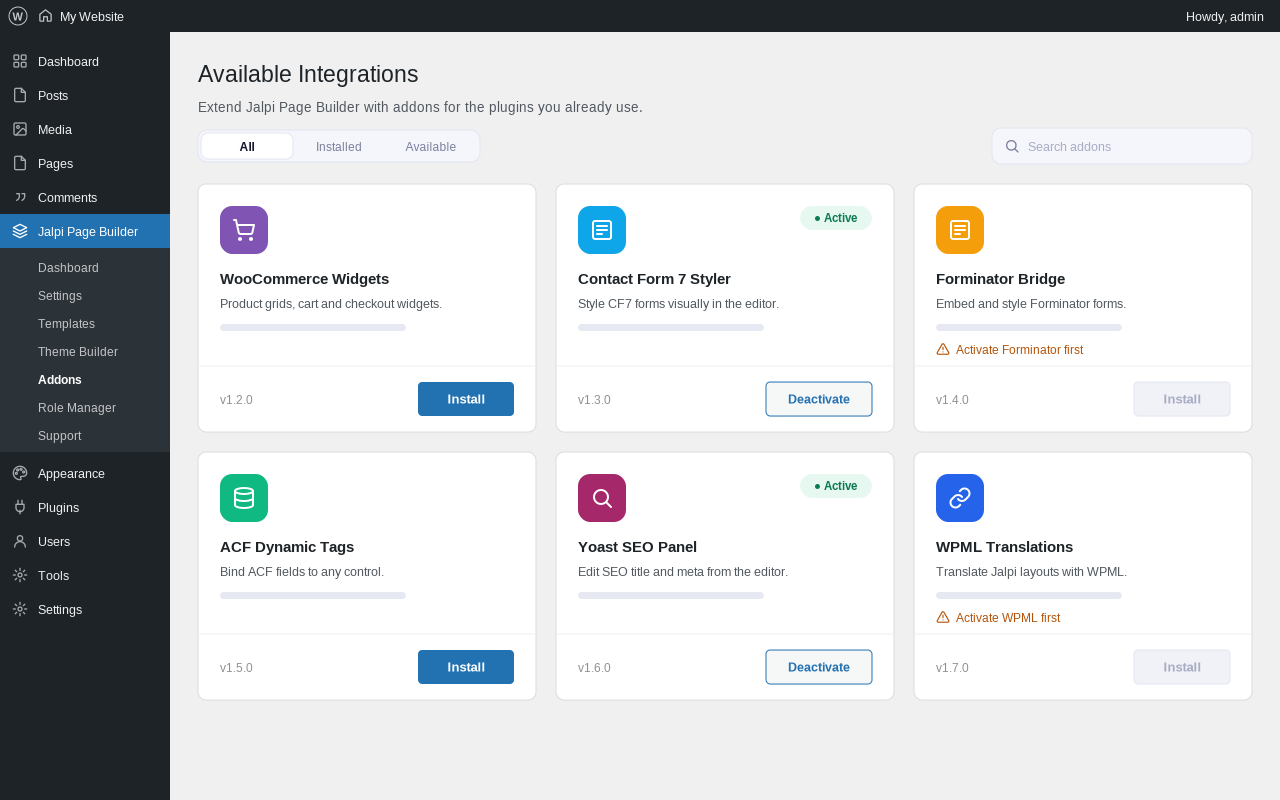
Available addons#
| Group | Addons | Needs |
|---|---|---|
| OTP verification for forms | Authyo OTP for Contact Form 7, WPForms, Forminator, Everest Forms, Met Form, Ninja Forms, SureForms and Elementor Form | The matching form plugin |
| WooCommerce | Authyo Authentication and Notification for WooCommerce; SMSIdea Order Notifier for WooCommerce | WooCommerce |
| Other companions | Authyo ChatLead (chatbot lead capture), EmailIdea SMTP Mailer, Jalpi Booking (CRM appointment system), Authyo Passwordless Login, Jalpi Login and Notifications, Jalpi Support Tickets, JalpiForm, Pricesync By Jalpi | Nothing |
Good to know
- Addons are separate plugins. They are optional, and Jalpi Page Builder works fully without them.
- Each addon is maintained as its own plugin, with its own settings and documentation.
For developers#
The list is plain data. Add an entry with the jalpi_addons_registry filter. Each entry needs a slug, name, description, the plugin's WordPress.org slug and its main file, and optionally a parent plugin it requires. Installation uses WordPress's own plugin installer, so only official WordPress.org plugins can be installed this way.
Source
Files
includes/class-jalpi-addons.php includes/addons/addons-registry.php includes/addons/admin-page.php
Related#
Last updated: November 2026