





























































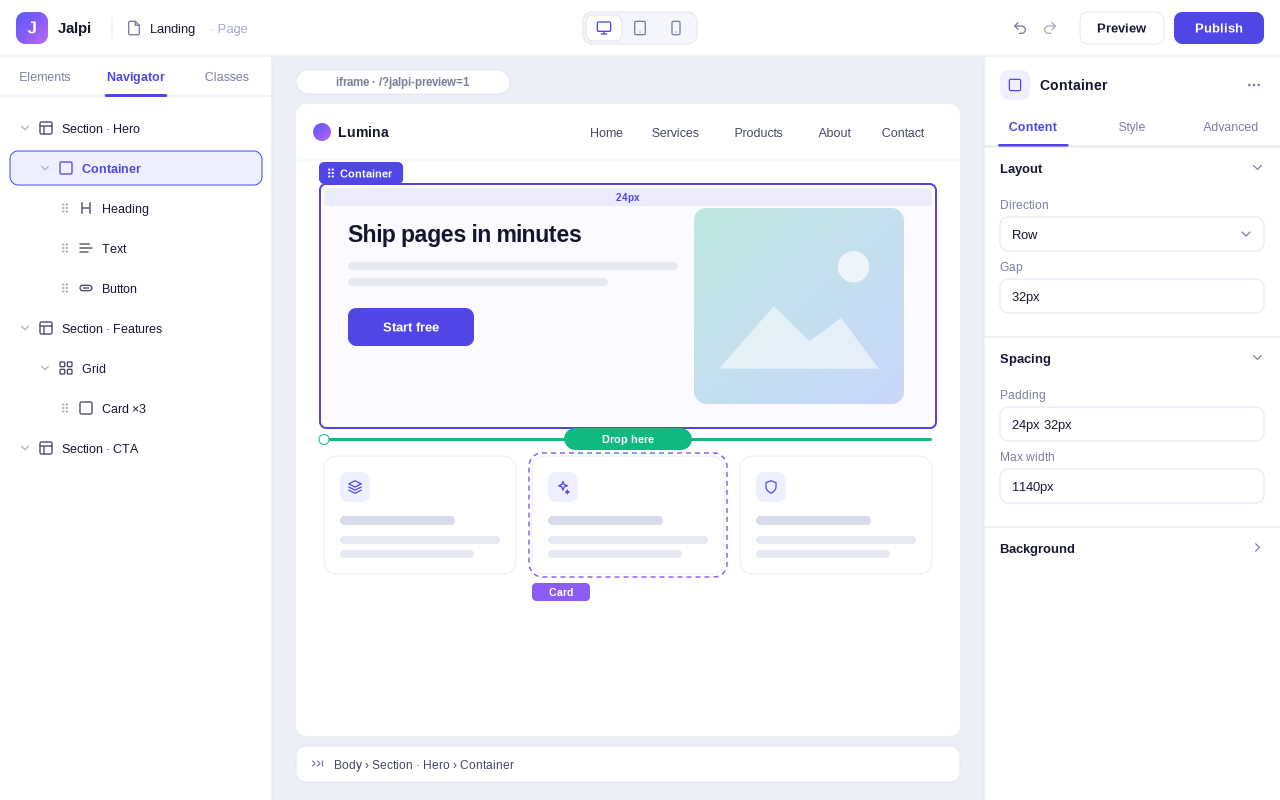
Jalpi renders the same node tree twice. CanvasNode renders it in the browser as an editable preview; Jalpi_Renderer renders it on the server as the published page. Neither shares code with the other, so "the canvas matches the frontend" is not something the architecture gives for free — it is a set of conventions both sides follow deliberately.
This page documents the rendering pipeline: the contract every element implements, how each node's CSS is scoped and assembled, how responsive overrides, custom CSS and interactions are layered on afterwards, and what the frontend runtime does with the result. It closes with the parity rules — the places where a change on one side requires a matching change on the other.
It is the page to read before writing an element class or a canvas renderer.
The Render Contract#
Server-side, an element implements two methods:
abstract class Jalpi_Element {
    abstract public static function type(): string;
    abstract public function render( array $node, Jalpi_Renderer $renderer ): string;
}
And it must obey one rule that is not expressed in the signature: render() returns exactly one root wrapper tag.
That rule is load-bearing in two places. The .jalpi-el.jalpi-{id} selector scoping assumes a single element to attach to, and apply_interactions() injects its data attribute by regex-matching the first opening tag in the returned string. The comment on that method spells out the trade: because every element already returns one root tag, future widgets inherit interaction support automatically without any per-widget change.
Elements also do not emit <style> blocks or inline <script>. They contribute through the renderer's public API and let it assemble the result:
| Method | Purpose |
|---|---|
add_css( $rule ) | Desktop rule |
add_tablet_css( $rule ) / add_mobile_css( $rule ) | Breakpoint rules |
add_font( $family ) | Mark a Google Font as used |
add_icon_lib( $lib ) | Mark an icon library as used |
set_needs_js( $type ) | Flag that the frontend script is required |
render_children( $node ) | Recurse into children |
tags( $post_id ) | Get the dynamic-tag resolver |
get_css_attrs( $node ) | Resolve id and class attributes |
styles_to_css(), bg_data_to_css(), border_data_to_css() | Shared CSS builders |
All configuration reaches the browser as data- attributes. The frontend script's header states the reason directly: widgets use data- for configuration so the renderer only needs to output the right HTML attributes instead of inline <script> blocks.
Class and Selector Scheme#
Every rendered node carries a type class and an id class, and the pair is what scopes its CSS.
| Node type | Wrapper classes | Selector |
|---|---|---|
section | jalpi-section jalpi-{id} | .jalpi-section.jalpi-{id} |
container | jalpi-container jalpi-{id} | .jalpi-container.jalpi-{id} |
column | jalpi-column jalpi-{id} | .jalpi-column.jalpi-{id} |
| everything else | jalpi-el jalpi-{id} | .jalpi-el.jalpi-{id} |
The doubled class is not redundant — it raises specificity to two classes, which is what lets a node's own rules win over the shared frontend.css base styles without !important.
Ids are run through sanitize_html_class() before they reach either the markup or the selector.
get_css_attrs()#
Every element calls this to build its id and extra-class attributes:
$a = $renderer->get_css_attrs( $node );
// $a['id_attr']   → ' id="my-id"' plus any split-text attribute
// $a['extra_cls'] → ' card-shell my-custom-class'
It does three things:
- Sanitises
settings.cssIdwithsanitize_html_class()andsettings.cssClasswithsanitize_text_field()plusesc_attr(). - Resolves
settings.cssClasses— the attached reusable-class keys — into real class names viaJalpi_Class_Manager, and marks each resolved key in$used_class_keyssocompile_class_css()knows to emit its definition. An orphaned key, from a deleted class, is skipped silently. - Appends the split-text data attribute.
That last piece is the reason split text works everywhere. Emitting data-jalpi-st from get_css_attrs() rather than per widget means one Split Text group in the Animation tab reaches Heading, Text, Button, CTA, FAQ, Pricing, Testimonials and the rest at once. It is gated on settings.st_enabled, so content saved before the feature existed renders byte-identically.
The Standard Element Recipe#
Nearly every element class follows the same shape. Reading one teaches you all of them:
- Pull
id,content,styles,settingsoff the node. - Resolve dynamic tags in any text field.
- Call
get_css_attrs(). - Build the scoped rule: open
{$sel}{, add a box-sizing reset, thenbg_data_to_css( bgNormal ),border_data_to_css( borderNormal ),styles_to_css( styles ), close. - Add a
:hoverrule whenbgHoverorborderHoverproduce anything. - Add an overlay rule when
overlayNormalis configured. - Add any element-specific extra rules.
add_css()once.- Return one root tag carrying
jalpi-el jalpi-{id}plusextra_clsandid_attr.
Overlays are worth a note: on inline elements they are a ::before pseudo-element with position:absolute; inset:0; z-index:0, and the host gains position:relative; overflow:hidden. Sections render a real <div class="jalpi-section-overlay"> instead, because a section's children need to sit above it.
The ordering inside the rule matters. styles_to_css( $styles ) comes last, so a node's own literal styles win over its background and border settings within the same rule.
Structural Rendering#
The three structural types decide layout; everything else decides content.
Section#
Jalpi_Element_Section delegates its CSS to Jalpi_Renderer::section_css(), then emits a <section> containing an optional overlay div and render_children().
Its one structural decision is content width: contentWidth === 'full' adds the jalpi-section--fw class, whose job is to break the section out of the WordPress theme's content container.
Container#
Jalpi_Element_Container carries the layout model, and its branch order is significant:
| Condition | Result |
|---|---|
All children are column and layoutMode is not flex/grid | Flex row, gap from columnGap (default 20px), zero side padding |
layoutMode === 'flex' | Flex with flexDirection, flexWrapMode, flexJustify, flexAlign, flexGap |
layoutMode === 'grid' | Grid — auto-fill / auto-fit with minmax(gridMinColSize, 1fr), or repeat(gridColumns, 1fr); optional gridTemplateRows |
| otherwise | Block mode with 20 px side padding, plus legacy alignItems / columns / direction fallbacks |
The first branch is explicitly guarded against swallowing explicit flex mode. Its comment records the bug: without the layoutMode check, a container the author had put into flex mode would have its flexAlign, flexGap and flexWrap silently replaced by hard-coded stretch and a 20 px gap.
The block-mode branch is pure backwards compatibility — columns, gap, direction, justifyContent and flexWrap are the pre-layoutMode settings kept working for already-saved pages.
The Four Post-Steps#
After an element returns its HTML, render_node() runs four more steps against the same node. They apply to every type uniformly, which is why no element class implements responsiveness, custom CSS or interactions itself.
$html = $this->elements[ $type ]->render( (array) $node, $this );

$this->maybe_add_responsive_rules( $node );
$this->maybe_add_custom_css( $node );
$this->maybe_add_interaction_css( $node );
return $this->apply_interactions( $node, $html );
Responsive Rules#
maybe_add_responsive_rules() resolves the node's selector from its type, then emits into the tablet and mobile accumulators.
Three cases beyond the plain style maps:
- Button outer padding.
outerPadding*is instyles_to_css()'s skip list because it applies to a wrapping div, so for buttons the responsive pass emits it separately against.jalpi-outer-{id}. - Stacking containers. When a container's tablet or mobile
flexDirectioniscolumnorcolumn-reverse, everycolumnchild getswidth:100%!important; max-width:100%!important; flex-basis:100%!important. The comment explains the!important: column inline styles use explicit widths that responsive CSS cannot otherwise override. - Per-device visibility.
hideOn.desktopemitsdisplay:noneinto the desktop bucket with no media query;hideOn.tabletandhideOn.mobileemitdisplay:none !importantinto their respective breakpoint buckets.
Custom CSS#
maybe_add_custom_css() takes settings.customCss and substitutes the node's own scoped selector for the selector token:
$resolved = str_replace( 'selector', '.jalpi-' . $id, $css );
$this->add_css( $resolved );
It runs after the element's own render(), so the resolved rules land after that node's local styles in $css_rules — making Custom CSS the final override tier in the cascade.
Note the substituted selector is the bare .jalpi-{id} single class, not the doubled .jalpi-el.jalpi-{id} form the element used for its own rules. Custom CSS therefore has lower specificity than the node's own generated rule, and wins only on source order.
Interactions#
Interactions are split between CSS and a data attribute.
maybe_add_interaction_css() emits per-node CSS for each enabled rule, scoped to the same type-derived selector. Continuous triggers — mouseMove and scrollProgress — emit nothing, because they are fully JS-driven and write straight to inline transform on each animation frame. The hover trigger emits two rule variants, in and out, since it needs distinct enter and leave visuals; every other discrete trigger emits one.
apply_interactions() then injects the enabled rules as a single JSON payload into the markup's first opening tag:
$injected = preg_replace(
    '/^(<[a-zA-Z][\w-]*)/',
    '$1 data-jalpi-interact=\'' . esc_attr( $payload ) . '\'',
    $html,
    1
);
It filters to enabled rules first, sets the interaction JS flag, and no-ops entirely for the vast majority of nodes that carry none.
Dynamic Tags at Render Time#
Text fields are not rendered literally. Elements resolve them through the tag resolver, which is constructed per render pass and keyed to the post being rendered:
$text = wp_kses_post(
    $renderer->tags( $renderer->get_current_post_id() )->resolve( $content['text'] ?? '' )
);
The resolver exposes three entry points, each applying the escaping appropriate to its destination — resolve() for text, resolve_url() which wraps esc_url(), and resolve_attr() which wraps esc_attr(). Using the wrong one is the usual source of escaping bugs in a new element.
Resolution happens per render, which is why pages containing user-specific tags ({{current_user…}}, {{user_meta…}}) deliberately bypass the transient cache.
The Frontend Runtime#
assets/js/jalpi-frontend.js is a single IIFE, about 2,200 lines, with no dependencies. It boots on DOMContentLoaded — or immediately if the document has already parsed — and calls one init() that invokes 26 initialisers in order:
initCarousels, initTabs, initCountdowns, initCounters, initProgress, initFaq, initImageCarousels, initGalleryFilter, initGalleryLightbox, initInteractions, initMarquees, initTypewriters, initSplitText, initMenus, initAdvMenus, initScrollToTop, initReadingProgress, initTooltips, initCalculators, initYouTubeGalleries, initFacebookEmbeds, initInstagramEmbeds, initStickySections, initProductsGrid, initProductCategories, initSingleProduct.
The design is stated in the file header: each init function is guarded by a DOM selector check so it runs only when the matching widget type is present. A typical initialiser opens with var els = document.querySelectorAll('.jalpi-…'); if (!els.length) return;. That is what makes one flat call list cheap — an unused widget costs a single failed query.
This pairs with the renderer's set_needs_js() flags. The renderer decides whether to enqueue the script at all; the script decides which parts of itself to run. A schema widget declaring needsJs in widgets-schema.php triggers set_needs_js('generic'), and its own initialiser self-guards by selector.
Rendering on the Editor Canvas#
The editor reaches the same visual result by a different route, and the differences are worth knowing when a discrepancy shows up.
| Concern | Frontend | Editor canvas |
|---|---|---|
| Where styles live | A compiled stylesheet attached with wp_add_inline_style() | Inline style props computed in inlineStyles |
| Scoping | .jalpi-el.jalpi-{id} class pairs | data-node-id attributes; inline styles need no selector |
| Breakpoints | @media blocks around the tablet and mobile buckets | The active breakpoint's map merged into the inline styles |
| Type dispatch | type → Jalpi_Element registry | A switch in CanvasNode.renderContent() |
| Interactivity | jalpi-frontend.js initialisers | Not run — widgets render a static preview |
| Fluid units | vw / vh against the window | Rewritten to cqw / cqh against the canvas container |
Where the editor genuinely needs a rule rather than an inline style, it injects a scoped <style> element into the document head and removes it on unmount. ContainerRenderer does this for overlays, emitting [data-node-id="…"] .jalpi-container-inner>:not(.jalpi-container-overlay){position:relative;z-index:1} so container children sit above the overlay — the same layering the frontend achieves with z-index in its generated CSS.
The structural renderers mirror the server's branch logic closely. ContainerRenderer reproduces the same four-way layout decision, including the same defaults — columnGap falling back to 20px, flexGap to 0, gridGap to 20px, gridMinColSize to 200px, grid columns to 3, and 20 px side padding in block mode.
Parity Rules#
Because the two renderers share no code, matching output is maintained by convention. These are the places where a change to one side requires a matching change to the other.
| Concern | Server | Editor |
|---|---|---|
| Container layout branches and defaults | Jalpi_Element_Container::render() | ContainerRenderer |
| Section content width and overlay | Jalpi_Element_Section + section_css() | SectionRenderer |
| Composite preset field lists | COMPOSITE_PRESET_FIELDS | getPresetStyles() |
| Token resolution | resolve_token_refs() | getTokenStyles() |
| Class-before-node CSS ordering | compile_class_css() | getClassStyles() and the inlineStyles spread order |
Bare-number → px coercion | $dimension_props in styles_to_css() | DIMENSION_PROPS in buildInlineStyles() |
| Design token variable names | Jalpi_Settings::output_design_system_css() | cssVarName() / typoVarName() / btnVarName() |
| Schema widget field lists | widgets-schema.php | registry.ts |
Each of these carries a comment in the source naming its counterpart. When a canvas-versus-frontend discrepancy is reported, this table is the list of places to check first.
The bare-number coercion is a good example of why the duplication exists at all: BoxSpacingControl stores values as typed, so "20" rather than "20px". Bare numbers are invalid CSS and the browser silently ignores them, so both renderers append px to numeric values for the same set of dimension properties.
Examples#
A complete element renderer#
Jalpi_Element_Heading, abridged. Note the single add_css() call, the doubled-class selector, the tag resolution, and the single root tag returned.
class Jalpi_Element_Heading extends Jalpi_Element {
    public static function type(): string { return 'heading'; }

    public function render( array $node, Jalpi_Renderer $renderer ): string {
        $id       = sanitize_html_class( $node['id'] ?? '' );
        $content  = $node['content']  ?? [];
        $styles   = $node['styles']   ?? [];
        $settings = $node['settings'] ?? [];

        $text = wp_kses_post(
            $renderer->tags( $renderer->get_current_post_id() )->resolve( $content['text'] ?? '' )
        );
        $tag  = in_array( $content['tag'] ?? 'h2', [ 'h1','h2','h3','h4','h5','h6' ], true )
                ? $content['tag'] : 'h2';

        $a   = $renderer->get_css_attrs( $node );
        $sel = '.jalpi-el.jalpi-' . $id;

        $css  = "{$sel}{display:block;box-sizing:border-box;";
        $css .= $renderer->bg_data_to_css( $settings['bgNormal'] ?? [] );
        $css .= $renderer->border_data_to_css( $settings['borderNormal'] ?? [] );
        $css .= $renderer->styles_to_css( $styles );
        $css .= '}';

        $hover = $renderer->bg_data_to_css( $settings['bgHover'] ?? [] )
               . $renderer->border_data_to_css( $settings['borderHover'] ?? [] );
        if ( $hover ) {
            $css .= "{$sel}:hover{{$hover}}";
        }

        $renderer->add_css( $css );

        return "<{$tag} class=\"jalpi-el jalpi-{$id}{$a['extra_cls']}\"{$a['id_attr']}>{$text}</{$tag}>";
    }
}
An overlay as a ::before pseudo-element#
Inline elements layer an overlay behind their content without adding a child node. Sections use a real div instead, because their children need to sit above it.
$ov_n = $settings['overlayNormal'] ?? [];
$has_ov = ! empty( $ov_n['color'] ) || ! empty( $ov_n['imageUrl'] ) || ! empty( $ov_n['gradient'] );

if ( $has_ov ) {
    $css .= "{$sel}{position:relative;overflow:hidden;}";
    $css .= "{$sel}::before{content:'';position:absolute;inset:0;z-index:0;pointer-events:none;";
    $css .= $renderer->bg_data_to_css( $ov_n );
    $css .= 'opacity:' . floatval( $ov_n['opacity'] ?? 0.5 ) . ';}';

    $ov_h_css = $renderer->bg_data_to_css( $settings['overlayHover'] ?? [] );
    if ( $ov_h_css ) {
        $op_h = floatval( ( $settings['overlayHover']['opacity'] ?? 0.5 ) );
        $css .= "{$sel}:hover::before{{$ov_h_css}opacity:{$op_h};}";
    }
}
Responsive rules and per-device visibility#
The selector is derived from node type, then rules go into the matching breakpoint accumulator. Desktop hiding needs no media query.
$selector = match ( $type ) {
    'section'   => '.jalpi-section.jalpi-'   . $id,
    'container' => '.jalpi-container.jalpi-' . $id,
    'column'    => '.jalpi-column.jalpi-'    . $id,
    default     => '.jalpi-el.jalpi-'        . $id,
};

if ( ! empty( $tablet_styles ) ) {
    $css = $this->styles_to_css( $tablet_styles );
    if ( $css ) {
        $this->tablet_css_rules[] = "{$selector}{{$css}}";
    }
}

if ( ! empty( $hide_on['desktop'] ) ) {
    $this->css_rules[]        = "{$selector}{display:none;}";
}
if ( ! empty( $hide_on['tablet'] ) ) {
    $this->tablet_css_rules[] = "{$selector}{display:none !important;}";
}
if ( ! empty( $hide_on['mobile'] ) ) {
    $this->mobile_css_rules[] = "{$selector}{display:none !important;}";
}
Forcing columns full-width when a container stacks#
Column widths are explicit inline values, so the responsive override needs !important to take effect. The comment in the source says exactly this.
if ( 'container' === $type ) {
    foreach ( [ 'tablet' => $tablet_styles, 'mobile' => $mobile_styles ] as $bp => $resp ) {
        $resp_dir = sanitize_key( $resp['flexDirection'] ?? '' );
        if ( in_array( $resp_dir, [ 'column', 'column-reverse' ], true ) ) {
            foreach ( $node['children'] ?? [] as $child ) {
                if ( ( $child['type'] ?? '' ) !== 'column' ) continue;
                $cid  = sanitize_html_class( $child['id'] ?? '' );
                if ( ! $cid ) continue;
                $rule = ".jalpi-column.jalpi-{$cid}{width:100%!important;max-width:100%!important;flex-basis:100%!important;}";
                if ( 'tablet' === $bp ) $this->tablet_css_rules[] = $rule;
                else                    $this->mobile_css_rules[] = $rule;
            }
        }
    }
}
Injecting the interaction payload#
The regex matches the first opening tag of the element's returned HTML — which is why the one-root-tag rule matters.
private function apply_interactions( array $node, string $html ): string {
    $rules = $node['interactions'] ?? [];
    if ( empty( $rules ) || ! is_array( $rules ) || '' === $html ) {
        return $html;
    }

    $enabled = array_values( array_filter(
        $rules,
        fn( $r ) => is_array( $r ) && ( ! isset( $r['enabled'] ) || $r['enabled'] )
    ) );
    if ( empty( $enabled ) ) {
        return $html;
    }

    $this->set_needs_js( 'interaction' );

    $payload = wp_json_encode( $enabled );
    if ( false === $payload ) {
        return $html;
    }

    $injected = preg_replace(
        '/^(<[a-zA-Z][\w-]*)/',
        '$1 data-jalpi-interact=\'' . esc_attr( $payload ) . '\'',
        $html,
        1
    );

    return $injected ?? $html;
}
The frontend runtime's guard pattern#
Every initialiser opens with a selector check, so the flat call list in init() costs one failed query per unused widget.
(function () {
  'use strict';

  function initMarquees() {
    var els = document.querySelectorAll('.jalpi-marquee');
    if (!els.length) return;          // ← the guard
    els.forEach(function (el) {
      var speed = parseInt(el.getAttribute('data-speed'), 10) || 20;
      var dir   = el.getAttribute('data-dir')   || 'left';
      var pause = el.getAttribute('data-pause') === '1';
      // … drive the animation from the data-* attributes …
    });
  }

  function init() {
    initCarousels();
    initTabs();
    // … 24 more, each self-guarding …
    initInteractions();
  }

  if (document.readyState === 'loading') {
    document.addEventListener('DOMContentLoaded', init);
  } else {
    init();
  }
})();Notes#
- The doubled class in
.jalpi-el.jalpi-{id}is deliberate specificity, not redundancy. Two classes let a node's generated rule beat the sharedfrontend.cssbase styles without!important. - Elements never emit
<style>or inline<script>. They contribute rules throughadd_css()and flags throughset_needs_js(), and the renderer assembles and enqueues the result once per page. - Split text is emitted from
get_css_attrs()rather than per widget, which is why one Animation-tab control reaches every element type at once. It is gated onsettings.st_enabled, so pre-existing content is unaffected. - The container's "all children are columns" branch is guarded against explicit flex mode. Without that guard, a container the author put into flex mode would have its alignment, gap and wrap settings silently replaced by hard-coded values.
- Continuous interaction triggers —
mouseMoveandscrollProgress— emit no CSS at all. They are driven entirely by JavaScript writing to inlinetransformon each animation frame. - The
hovertrigger emits two CSS rule variants (in and out) because it needs distinct enter and leave visuals. Every other discrete trigger emits one. - Both renderers append
pxto bare numeric values for the same set of dimension properties.BoxSpacingControlstores values as typed, so"20"rather than"20px", and bare numbers are invalid CSS that browsers silently ignore. - The editor injects a scoped
<style>element into the document head only where an inline style cannot express the rule —ContainerRendererdoes this for overlay layering — and removes it on unmount.
Warnings#
- An element's
render()must return exactly one root tag. Returning a fragment breaks both the.jalpi-el.jalpi-{id}CSS scoping andapply_interactions(), whose regex injects the interaction payload into the first opening tag it finds. - Custom CSS substitutes the token with a plain
str_replace( 'selector', '.jalpi-' . $id, $css ). That is a naive substring replacement — the wordselectoris rewritten anywhere it appears, including inside a comment or a class name such as.my-selector, producing broken CSS. - Custom CSS resolves to the single class
.jalpi-{id}, not the doubled.jalpi-el.jalpi-{id}the element uses for its own rules. It therefore has lower specificity than the node's generated styles and wins only by source order — a Custom CSS rule can be beaten by a node style setting the same property. - The editor canvas does not run
jalpi-frontend.js. Carousels, countdowns, marquees, typewriters, menus and interactions are static previews there — verify interactive behaviour on the real frontend, never on the canvas. - The eight parity pairs in the table above are maintained by convention with no shared code and no test binding them. Changing a container default, a preset field list or a token variable name on one side without the other produces a silent canvas-versus-frontend mismatch.
hideOn.tabletandhideOn.mobileemitdisplay:none !important, buthideOn.desktopemits plaindisplay:noneinto the unwrapped desktop bucket. A later rule in the same bucket can override desktop hiding, while the breakpoint variants cannot be overridden the same way.- Element classes trust their input. The sanitiser runs once at save time, and the renderer's contract assumes stored values are already clean — but every value an element emits still needs its own escaping helper (
esc_attr(),esc_url(),esc_html(),wp_kses_post()) because the element decides the output context.
Source Files#
includes/class-jalpi-element.phpincludes/class-jalpi-renderer.phpincludes/elements/class-jalpi-element-section.phpincludes/elements/class-jalpi-element-container.phpincludes/elements/class-jalpi-element-column.phpincludes/elements/class-jalpi-element-heading.phpincludes/elements/class-jalpi-element-text.phpincludes/elements/class-jalpi-element-generic.phpincludes/class-jalpi-class-manager.phpincludes/class-jalpi-dynamic-tags.phpincludes/class-jalpi-sanitizer.phpincludes/class-jalpi-settings.phpincludes/trait-jalpi-split-text.phpassets/js/jalpi-frontend.jsassets/css/frontend.cssadmin/editor/src/components/canvas/CanvasNode.tsxadmin/editor/src/components/canvas/Canvas.tsxadmin/editor/src/utils/designTokens.tsadmin/editor/src/widgets/GenericRenderer.tsx
Related#
Last updated: November 2026