

What Is Jalpi Page Builder? A Modern WordPress Page Builder
What Is Jalpi Page Builder?
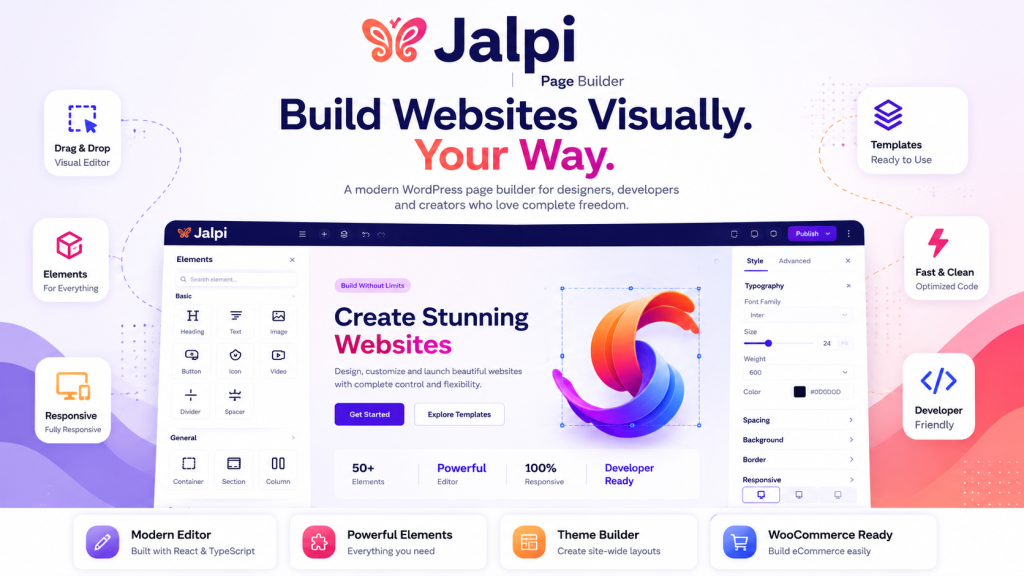
- Jalpi Page Builder is a visual website-building plugin for WordPress that allows users to create page layouts using a drag-and-drop editing experience.
- Instead of manually creating every layout with code, users can work with sections, containers, elements, templates, and design controls directly inside the visual editor.
- The builder is designed for both website creators and developers. Users can visually design pages, while developers can work with the underlying architecture to customize and extend the builder.
What Can You Do With Jalpi Page Builder?
Jalpi can be used to create different types of WordPress pages and website layouts. The builder provides elements for common website requirements such as:
- Headings and text
- Images
- Buttons
- Icons
- Videos
- Google Maps
- Forms
- Testimonials
- Team sections
- Pricing sections
- FAQs
- Custom HTML
- Accordions
- Tabs
- Galleries
- Carousels
- Counters
- Progress elements
- Call-to-action sections
- Timelines
- Countdown sections
- Breadcrumbs
- Social icons
- Shortcodes
Visual Page Editing
- The main purpose of Jalpi Page Builder is to provide a visual editing experience.
- The editor provides a canvas where users can build their page structure and configure individual elements from the editor interface.
- Instead of switching repeatedly between a code editor and the website preview, users can work directly with the visual representation of their page.
- This makes it easier to experiment with layouts, spacing, typography, backgrounds, and other design properties.
Responsive Website Design
- Websites need to work across different screen sizes.
- Jalpi Page Builder provides responsive controls for designing layouts for desktop, tablet, and mobile devices.
- Users can adjust layout and styling properties based on the device size, allowing a single page design to adapt to different screen dimensions.
Design and Styling Controls
- Typography
- Colors
- Backgrounds
- Gradients
- Borders
- Border radius
- Box shadows
- Spacing
- Width and height
- Positioning
- Responsive settings
- CSS classes
- Custom styling
Templates and Reusable Designs
Jalpi Page Builder also provides a template-based workflow. Instead of rebuilding the same layout repeatedly, users can save and reuse designs as templates.
- Templates can be useful for:
- Landing pages
- Service pages
- About pages
- Contact pages
- Blog layouts
- Portfolio pages
- Business websites
- eCommerce websites
Dynamic Content
- Jalpi also supports dynamic content through its Dynamic Tags system.
- Dynamic content allows certain element values to be resolved from WordPress or the current website context instead of always using manually entered static content.
- This is useful when creating reusable layouts where the displayed content can change depending on the page, post, product, or other available data.
Theme Builder
- Jalpi Page Builder goes beyond editing individual page content through its Theme Builder functionality.
- The Theme Builder provides a way to work with reusable website-level layouts and theme-related components.
- This makes the builder useful for projects where developers need more control over the overall website structure rather than only individual page content.
WooCommerce Websites
- Products
- Product categories
- Single product layouts
- Product grids
- This allows WooCommerce websites to use a visual page-building workflow for parts of their eCommerce experience.
Built for Developers Too
- Although Jalpi Page Builder provides a visual interface for website creation, it is also designed with developers in mind.
- The plugin uses a WordPress/PHP backend together with a React and TypeScript-based editor.
- Its architecture includes systems for elements, rendering, templates, dynamic tags, classes, Theme Builder functionality, and integrations.
- This provides a foundation for developers who want to understand, customize, or extend the page builder instead of being limited to the default visual controls.
Who Is Jalpi Page Builder For?
Website Designers
WordPress Developers
Agencies
Business Website Owners
Jalpi Page Builder in Simple Terms
In simple terms, Jalpi Page Builder is a visual WordPress website builder that lets you build pages by combining layouts, elements, content, and design controls through an editor instead of creating everything manually with code.
At the same time, its developer-oriented architecture provides a foundation for extending the builder when the default functionality is not enough.
Final Thoughts
For anyone exploring WordPress page builders, Jalpi Page Builder is an option worth evaluating based on the type of website, design workflow, performance requirements, and level of developer customization needed.
– Official plugin: Jalpi Page Builder on WordPress.org