


















7 Best Meeting Scheduler Apps in 2027 (Compared for Teams, Freelancers & Small Businesses)
You know the email chain. “Does Tuesday work?” “Tuesday’s packed, how about Thursday?” “Sorry, which time zone is that?” Three days and eleven messages later, a 30-minute call finally lands on a calendar.
Good meeting scheduling software ends that loop. You share one link, the other person picks a time that’s genuinely free, and the invite shows up on both calendars. That’s the promise of the best meeting scheduler app, and it’s how you stop back-and-forth scheduling emails for good.
The catch: “scheduler” covers wildly different products. A sales rep booking discovery calls needs CRM syncing. A salon owner needs staff calendars, deposits and WhatsApp reminders. A tutor needs a Zoom link for every class. Pick wrong and you pay for features you’ll never open, or miss the one you needed on day one. If you’re hunting for Calendly alternatives, the problem gets sharper, because the biggest name isn’t automatically the right fit.
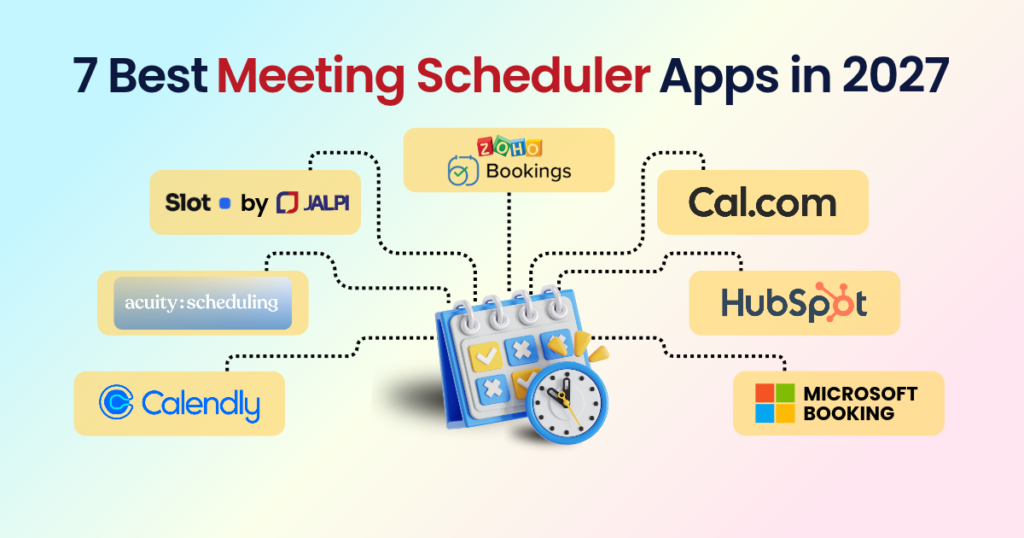
So we read the websites and pricing pages of seven popular options: Calendly, Acuity Scheduling, Jalpi Slot, Zoho Bookings, Cal.com, HubSpot’s meeting scheduler and Microsoft Bookings.
Full disclosure: Jalpi Slot is our own product. We’ve described it the way we describe the others, strengths and limits included, so you can judge with open eyes.
Quick answer: which is the best meeting scheduler app?
It depends on what you’re booking. For B2B sales calls, choose Calendly or HubSpot. For customers who pay for appointments, compare Acuity, Zoho Bookings and Jalpi Slot. For a free solo plan or self-hosting, pick Cal.com. If your whole company runs on Microsoft 365, Microsoft Bookings is already in your stack.
In this guide:
Meeting vs appointment scheduling
How we compared the apps
Quick comparison table
1. Calendly · 2. Acuity · 3. Jalpi Slot · 4. Zoho Bookings · 5. Cal.com · 6. HubSpot · 7. Microsoft Bookings
Which scheduler fits your business?
FAQs
Meeting scheduling vs appointment scheduling
Meeting scheduling software is built for conversations between professionals: sales calls, interviews, team check-ins. Its strengths are calendar syncing, round-robin assignment and CRM links.
Appointment scheduling software is built for customers buying your time: a haircut, a consultation, a tutoring session. It adds the commercial layer: services and prices, staff calendars, deposits, reminders and cancellation rules.
Most tools here straddle both worlds, but each leans one way. A simple online meeting scheduler is plenty if you just want to share availability. The moment someone pays you to turn up, you want something closer to automated appointment booking.
How we compared the apps.
We read each company’s homepage, pricing page and feature pages in October 2026 and recorded only what they state. Then we judged each tool on six things:
Who it’s really built for: sales teams, solo freelancers, or service businesses with staff?
Calendar and video links: Google or Outlook sync, and automatic Zoom or Meet links.
Payments: deposits, and through which providers. This matters a lot in India.
No-show protection: reminders, deposits and cancellation rules.
Time zones: does the customer see slots in their own local time?
Real pricing: what you pay as your team grows, not just the headline number.
Why Jalpi Slot is on the list: it’s our product, built for paid appointments in India and across borders. The order below follows use case, not a scorecard, and vendor claims are labelled as theirs. Prices change, so confirm before you buy.
The quick comparison
Tool | Best for | Free option | Entry price (as listed) |
Calendly | Individuals, sales and recruiting teams | Free plan (1 event type) | $10/seat/month |
Acuity Scheduling | Service businesses with staff and packages | 7-day free trial | $16/month |
Jalpi Slot | Salons, clinics, coaches, consultants | No subscription, no card to start | ₹10 per booking |
Zoho Bookings | Zoho users and growing teams | Free for 1 user | US$6/user/month |
Cal.com | Freelancers, developers, privacy-minded teams | Free for individuals | $16/user/month (Teams) |
HubSpot meeting scheduler | B2B sales teams on HubSpot | Free within Sales Hub | Paid tiers for AI features |
Microsoft Bookings | Organisations on Microsoft 365 | Part of Microsoft 365 | Sold via Microsoft 365 plans |
1. Calendly: best for sales teams
Best for: individuals, sales teams and recruiters who live in their calendar.
Calendly is the name most people think of when they hear “scheduling link”, which is why it sits on almost every list of the best meeting scheduler apps. Its homepage says more than 20 million professionals use it. Connect your calendar, set your hours, send one booking link for meetings. Around that core sit automated email and text reminders, routing forms that qualify leads, meeting polls that make it a handy group meeting scheduler, and 150+ integrations including HubSpot, Salesforce, Zoom and Google Meet, so it works as a meeting scheduler with Zoom integration out of the box.
For sales, the Teams plan is where it earns its keep. Round-robin and lead routing send inbound enquiries to the right rep, which makes it a strong scheduling app for teams that sell.
Watch out for: the free plan is deliberately thin (one event type, one calendar connection), so most real users end up paying. Round-robin only arrives on Teams. Payments connect through Stripe and PayPal, pricing is per seat in dollars, and the AI notetaker costs extra.
Pricing: Free; Standard $10/seat/month; Teams $16/seat/month (billed yearly); Enterprise from $15,000/year.
2. Acuity Scheduling: best for service businesses
Best for: beauty, wellness, fitness and tutoring businesses with staff and repeat clients.
Acuity, part of Squarespace, is classic appointment scheduling software: less about finding a slot for a chat, more about running a booking business. Clients self-book on a branded page. You take payments and deposits through Stripe, Square, PayPal or Venmo, gather details with intake forms, and sell packages, memberships and gift certificates. Higher plans add text reminders and a waitlist, and Premium adds an AI booking assistant plus a signed BAA for HIPAA compliance. Automatic time zone conversion comes on every plan, so it works as a dependable time zone scheduling tool.
Acuity says 75% of its businesses have cut no-shows with deposits, reminders and cancellation policies. That’s the company’s own figure, so treat it as marketing, but the recipe is a useful one if you want to reduce no-shows with reminders and upfront payments.
Watch out for: the pricing page leads with a 7-day trial rather than a free plan. Pricing is per calendar and in dollars, so a ten-person salon lands on a pricier tier. Text reminders start on Standard and depend on country availability, and the payment providers listed lean towards the US, with no UPI or Razorpay.
Pricing: Starter $16/month (1 calendar), Standard $27 (up to 6), Premium $55 (up to 36) billed yearly; monthly billing is $20, $34 and $69.
3. Jalpi Slot: best for paid appointments
Best for: salons, clinics, coaches, tutors and consultants, especially in India or serving customers across countries.
Jalpi Slot is ours, so weigh our view accordingly. You add services (name, duration, price) and staff, set your hours, and share a booking link for meetings and appointments or a QR code. Customers book without creating an account or installing anything, so bookings arrive even at 2am, which is automated appointment booking in the plainest sense. Most people are live in about five minutes, with no credit card.
The difference is how it handles money and messages. Payments run through Razorpay or Cashfree (UPI, cards, netbanking) in India, or Stripe worldwide, and the money lands in your own account because Slot never holds it. You can take full payment or just a deposit. WhatsApp alerts for bookings, reminders and cancellations are included for every business; sending them from your own WhatsApp Business number is a flat ₹1,000 a month. Combined with deposits, that’s how Slot helps you reduce no-shows with reminders and upfront payments. Services marked as online get a unique Google Meet or Zoom link automatically.
There’s more underneath: peak-time pricing for evenings and weekends, multi-slot booking for long treatments, OTP-secured cancel and reschedule links, cancellation fees, scoped API keys and an Android app with home-screen widgets. Customers see slots in their own time zone, which suits overseas clients.
Watch out for: the pricing model is the trade-off. ₹10 per booking means no subscription, which is lovely when you’re starting out or quiet, but a business taking 1,000 bookings a month pays ₹10,000, so run the numbers at your volume. The site lists an Android app but no iOS app, and no built-in CRM or Microsoft Teams connection (there’s an API instead). Razorpay and Cashfree payouts typically take one to two working days, and Cashfree’s instant settlement costs extra.
Pricing: ₹10 per booking, one plan with every feature on the pricing page; international pricing is shown in USD on the site.
4. Zoho Bookings: best for Zoho users
Best for: solo professionals on a budget, and teams already on Zoho CRM or other Zoho apps.
Zoho Bookings has one of the more generous free tiers here: a free meeting scheduler for one user, with online meetings, email reminders and two-way sync with Google, Microsoft 365/Outlook.com or Zoho calendars, so it doubles as a Google Calendar scheduling app. It’s a natural stop for anyone comparing Calendly alternatives on price, and a sensible scheduling tool for small business owners watching their spend.
Paid plans bring four booking types (one-on-one, group, collective and resource-based), round-robin with four distribution methods, routing forms, workflows that send email and SMS, and white-labelling. Its AI assistant, Zia, can build a booking page from your website address. WhatsApp booking, Zoho CRM and Bigin sync, and payments through Stripe, PayPal or Razorpay round it out.
Watch out for: pricing is per user, so a team of eight pays eight times. Workspaces, custom domains and SMS workflows are spread across Basic and Premium, so read the plan comparison first. In our read, the dashboard has more moving parts than Calendly’s or Slot’s, which is the price of flexibility.
Pricing: Free for 1 user; Basic US$6/user/month and Premium US$9/user/month billed yearly (US$8 and US$12 monthly); 15-day trial.
5. Cal.com: best for flexibility
Best for: freelancers, startups and teams who want control, or want scheduling inside their own product.
Cal.com pitches flexibility: an online meeting scheduler you can shape around your workflow. The free plan for individuals includes unlimited event types, calendar sync, workflow automation, Stripe payments and its own video tool, Cal Video, which makes it arguably the most generous free plan here for a solo user. It also supports Zoom, Google Meet and Microsoft Teams, 65+ languages, embeds, webhooks and a public API, and it can be self-hosted. Teams get round-robin and shared availability, and larger companies get attribute-based routing with Salesforce or HubSpot updates. Cal.com also cites HIPAA compliance and SOC 2 Type II certification, so ask for the paperwork if that matters to you.
It’s the Calendly alternative developers reach for first, and collective events and dynamic group links make it a capable group meeting scheduler.
Watch out for: the flexibility rewards tinkerers. If you just want a booking page live before lunch, it may be more than you need. Payments run through Stripe.
Pricing: Free for individuals; Teams $16/user/month; Organizations $37/user/month; Enterprise is custom.
6. HubSpot: best for HubSpot CRM teams
Best for: B2B sales reps and account executives who already work in HubSpot.
HubSpot’s scheduler is meeting scheduling software for sales, living inside Sales Hub, and you can start free. Its strength isn’t the booking page but what happens around it. Links sync in real time with Google and Office 365 calendars, so it doubles as a Google Calendar scheduling app. Round-robin sends prospects to the first available rep, group booking lines up several teammates for a demo, and every booking is logged against the contact record automatically. The AI meeting assistant, which prepares talking points and drafts follow-ups, sits on Sales Hub’s Professional and Enterprise editions.
Watch out for: on its own this is a sales tool, built around prospects and pipelines, not services, staff schedules and customer deposits. A salon or clinic would be working against the grain. The payoff only comes if you’re inside HubSpot.
Pricing: the free meeting scheduler comes with free Sales Hub; the AI meeting assistant needs Professional or Enterprise (see HubSpot’s pricing page).
7. Microsoft Bookings: best for Microsoft 365
Best for: organisations that already live in Outlook and Teams, such as banks, schools, clinics and insurers.
Microsoft Bookings works with your Microsoft 365 calendar to show customers open times and avoid double-booking. Appointments booked as online meetings get a Teams link automatically, you can run several Bookings calendars with their own staff and appointment types, and customers can reschedule or cancel themselves.
Watch out for: the page we reviewed is a Microsoft 365 sales page, not a standalone price list, so check which plan includes Bookings. It doesn’t mention built-in online payments, so confirm that before relying on it for paid appointments. And if your team lives in Google Workspace, a neutral calendar scheduling tool will probably serve you better.
Pricing: sold through Microsoft 365 plans rather than on its own.
Which scheduler fits your business?
There’s no single best meeting scheduler app, because “best” depends on who’s booking and why. Here’s how we’d match them up:
Service and field businesses (cleaners, technicians, repair crews): you need deposits, staff assignment and customers who won’t create an account. Look at Slot, Acuity, or Zoho Bookings, which has resource booking for equipment.
Healthcare and wellness: reminders and secure cancellations matter most. Slot uses OTP-confirmed cancel links, Acuity offers a signed BAA on Premium, and Cal.com cites HIPAA compliance. Whatever you choose, ask the vendor about compliance in your country before storing patient details.
Beauty and personal care: multiple stylists, priced services and deposits to protect your chair time. Slot and Acuity are the closest fits, and Slot’s built-in WhatsApp reminders suit Indian clients.
B2B sales and account executives: Calendly Teams, HubSpot (if your CRM is HubSpot) or Cal.com for routing.
Education and coaching: Zoom or Meet links created automatically, plus advance payment. Slot does both; Acuity adds packages and memberships.
Freelancers and solo consultants: for the best scheduling app for freelancers, start with a free plan from Cal.com, Zoho Bookings or Calendly and upgrade only when you outgrow it.
Microsoft-first organisations: Bookings, because it’s already in your stack.
Frequently asked questions
Yes. Cal.com is free for individuals, Zoho Bookings is free for one user with two-way Google sync, Calendly’s free plan covers one event type and one calendar, and HubSpot’s scheduler is free inside Sales Hub. Slot has no subscription, so you only pay ₹10 when someone books.
Combine three things: reminders (email, text or WhatsApp), a deposit or upfront payment, and a clear cancellation policy. Slot, Acuity, Calendly and Zoho Bookings each offer a version of that mix.
Slot, Acuity, Zoho Bookings, HubSpot and Cal.com all describe showing invitees slots in their own local time, so choose on price and payments rather than time zones.
Yes. Slot, Acuity, Calendly, Zoho Bookings and Cal.com can add video links to bookings, and Microsoft Bookings creates Teams links.
If you sell appointments, yes: any good appointment scheduling software should take upfront payment, which is the most effective way to stop no-shows. If you only book calls, ordinary meeting scheduling software is enough.
Match it to the work. The best scheduling app for teams that sell is different from the one for teams that serve. For booking calls, look at Calendly Teams or HubSpot. For customers paying for appointments, compare Acuity, Zoho Bookings and Slot.
Start free. Cal.com and Zoho Bookings cost nothing for one user, and Slot only charges when a customer books.
The short version: choosing the best meeting scheduler app
If you sell to other businesses and live in a CRM, start with HubSpot or Calendly. If customers pay you for your time, compare Acuity, Zoho Bookings and Slot on price and payment options. If you want control and an open platform, try Cal.com, one of the strongest Calendly alternatives. If your company runs on Microsoft 365, Bookings is already waiting.
And if you take appointments in India or serve customers across time zones, Jalpi Slot is appointment scheduling software with deposits, WhatsApp reminders and pay-per-booking pricing. It takes about five minutes to set up and needs no card to start. Whichever you pick, run one test booking before you tell a single customer, and watch the back-and-forth scheduling emails dry up.